
Solar Radiation
About this app
Here is a nice
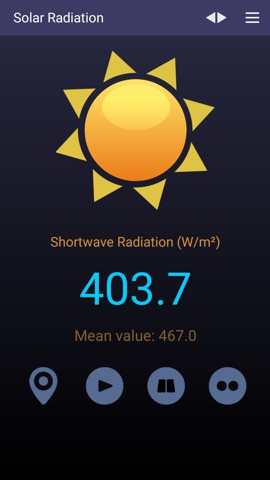
application that displays the instant and the mean values of the
most important indices related to the solar irradiance. This
accurate measuring tool (portrait orientation, Android 6 or
newer) works on the tablets, phones and smartphones that are
connected to the Internet. At first, it gets the local
coordinates (latitude and longitude) from your device's GPS and
then retrieves those parameters from an Internet server. There
are six important parameters that show the amount of solar
radiation received per square meter:
Shortwave Radiation - GHI - is equal to the total Global
Horizontal Irradiation;
Direct Radiation - DIR - is the amount of direct solar radiation
on the horizontal plane;
Diffuse Radiation - DIF - is the amount of diffuse solar
radiation that come equally from all directions;
Direct Normal Irradiance - DNI - is the amount of direct
radiation received on a surface perpendicular to the position of
the Sun;
Terrestrial Radiation - TER - is the amount of outgoing longwave
radiation emitted by the Earth's surface to space;
Global Tilted Irradiance - GTI - is the total radiation received on a surface with defined tilt and azimuth
angles.
How it works
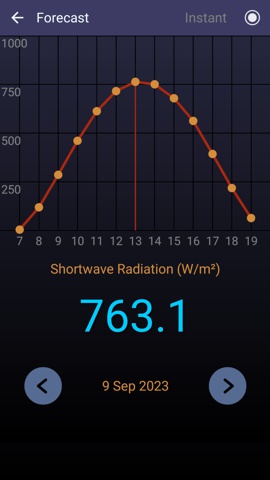
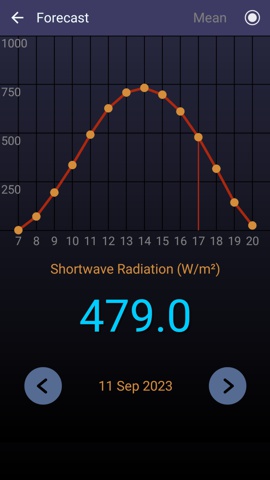
All the indices above are offered for the current day, but there is 7-day Forecast for all of them, as both instant and averaged values (tap the button 'Forecast'). The daily graph shows the evolution of the selected parameter during a day; you can tap on this graphic to find out the energy value for a specific hour. The parameter can be selected by tapping the arrow button from the upper side of the main page.
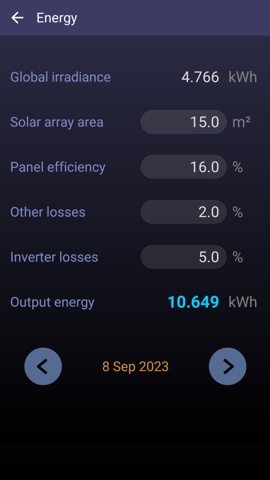
The sum off all GHI hourly indices can be used to compute the Total Energy received from each square meter of your solar panels per day; this value includes their efficiency and the other energy losses that occur during the conversion into electricity. To show this global value just tap the 'Energy' button. Starting with v3.4 of this app, the value of Energy can be based, as a more accurate alternative, on the GTI indices. To compute this new value you have to:
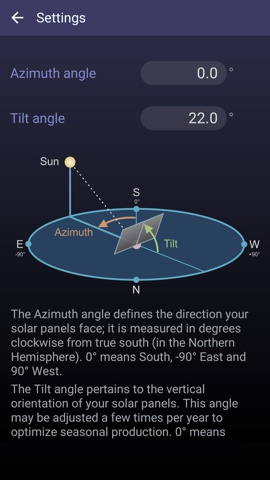
- Firstly, enter the
azimuth and tilt angles into the Settings page. These
parameters reflect how your solar panels are oriented and they can be
measured, for example, by using our
Inclinometer app.
- Secondly, open the
Energy page and tap on the Horizontal / Tilted button. This
changes the input energy to the sum of Global tilted values for the
currently selected day.
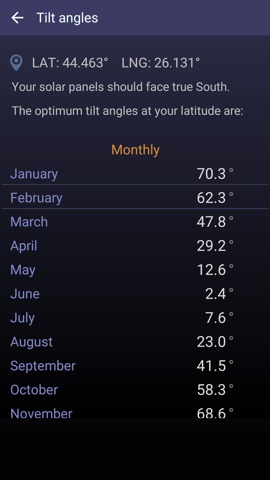
Also, this new app version features a new page named Tilt angles. To generate the most electricity possible over the course of a year, we used the latitude of your location and, via a special algorithm, we determined the optimum tilt for your panels. In fact we listed the best angles required in case you want to adjust your panels monthly, seasonally or annually. Notice that these values are adapted to both hemispheres, northern and southern, but not for locations at higher latitudes (over 60 degrees).
Global features
-- instant display of the solar radiation indices at current
location
-- easy calculation for the energy generated by your PV system
-- 7-day forecast for all solar parameters
-- free application
-- no limitations
-- only one permission required (Location)
-- this app keeps the phone's screen ON